Private by default
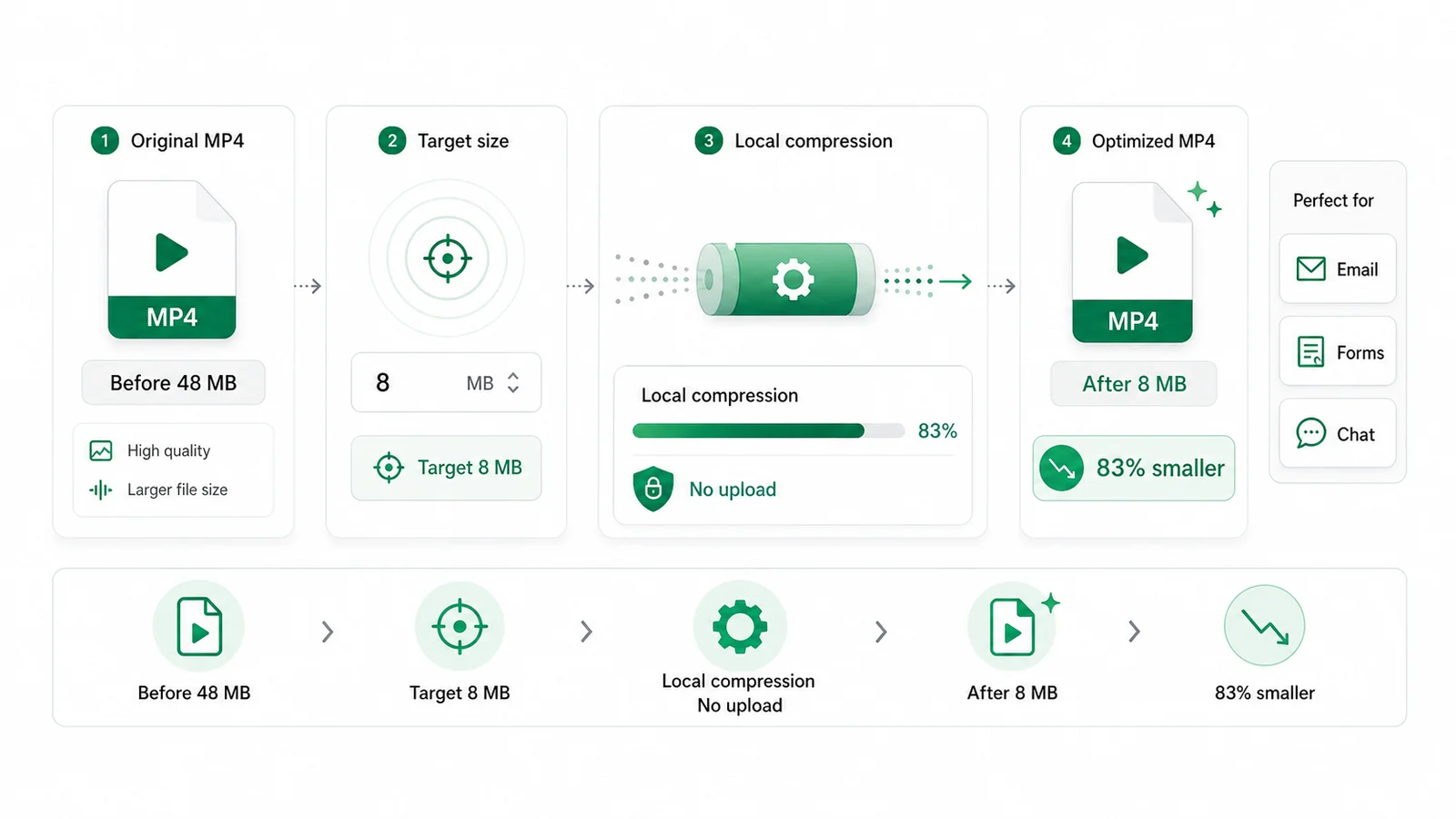
Files are read from your device and processed locally. There is no upload queue, cloud render, or account workspace.
Use this free video compressor to choose a percentage or target MB and save a smaller MP4 without uploading your video.
Compress video
The video compressor creates a new MP4 download.
Use percentage for an approximate reduction, or enter MB for a strict maximum file size.
Compress video with no server upload
Your selected video is processed on your device, not sent to a compression server.
Compress by percentage or target MB
Choose roughly how small the MP4 should be. The compressor accepts smaller results instead of chasing an exact file size.
Load online, process locally
Keep a connection available to load the page and video engine. Local processing does not guarantee offline access.
Example targets
These are illustrative size goals, not measured results or platform limits. Your output depends on the clip's length, motion and starting quality.
Compress video nowAim below a common attachment limit before sending a meeting recap, class recording, or quick walkthrough.
Make a short clip easier to send in messaging apps while keeping it as an MP4.
Compress MP4 before posting or transferring a landscape video from desktop to phone.
Size and quality
Use a percentage when you want a lighter copy, or enter MB when you have a file-size limit. A 50% target aims for about half the original size; it does not mean half the picture quality.
Pick a percentage that gives you a practical approximate size. If a form asks for 10 MB, aim a little under that limit. For email, leave extra room for the message and other attachments.
Review moving scenes, faces and small text in the downloaded MP4. If they look soft or blocky, choose a larger target; aggressive reduction can also lower the output resolution.
The video compressor creates a separate download. Keep your original for future edits and use it for each new attempt, rather than compressing an already-compressed copy again.
Select a file, set its output size, compress, then check the downloaded MP4 before sending it.
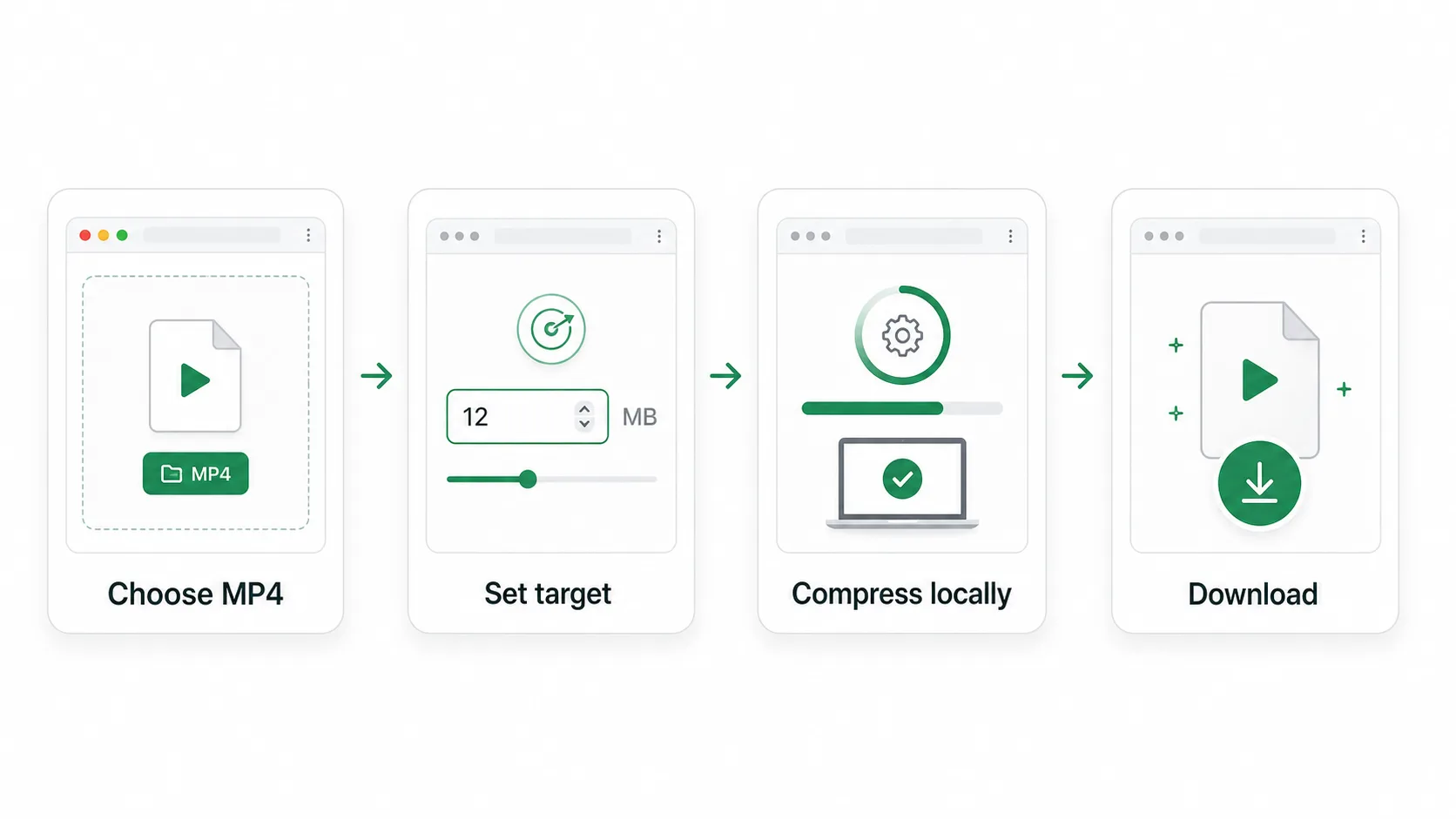
This page accepts MP4, M4V, MOV, WebM and MKV. Select a file or try the sample first; the video must contain tracks your browser or the fallback engine can read.
Choose roughly what percentage of the original size you want, or type the target MB you need to stay under. The estimate updates before you run compression.
Keep the tab open while the video compressor processes your file. Encoding time depends on the clip and your device; the progress indicator shows when the download is ready.
Save the MP4 and check its size, picture and sound. If it is still too large, return to the original and lower the target.
Compress MP4 before attaching it to email without uploading private footage to a third-party queue.
Meet school, hiring, support, or government form limits that reject large video uploads.
Shrink screen recordings, camera clips, and quick edits before sending them in a chat thread.
Make a smaller file before moving a video to a phone or saving it in limited cloud storage.
Enter any MB limit, or choose a 20MB, 25MB, 50MB, or 100MB preset.
20 MB · 25 MB · 50 MB · 100 MB
Compress video for email, forms, chat apps, social uploads, or storage limits without creating an account.
Files are read from your device and processed locally. There is no upload queue, cloud render, or account workspace.
Pick a percentage or type a target MB instead of guessing encoder settings. The compressor adjusts bitrate and avoids extra passes once the file is small enough.
Download an MP4 with H.264 video. Check picture and sound in the app where you plan to share it.
When compression finishes, save the smaller MP4 directly from your browser.
Short answers about privacy, target sizes, output percentage, and browser limits.
Choose your video, set a size target, and save an MP4 for sharing.